Zero to one with generative image and video pipelines using Imagen, Veo, and FFmpeg
A practical guide to building a reliable AI video pipeline with Imagen, Veo, and FFmpeg, from the first still image to a finished export.
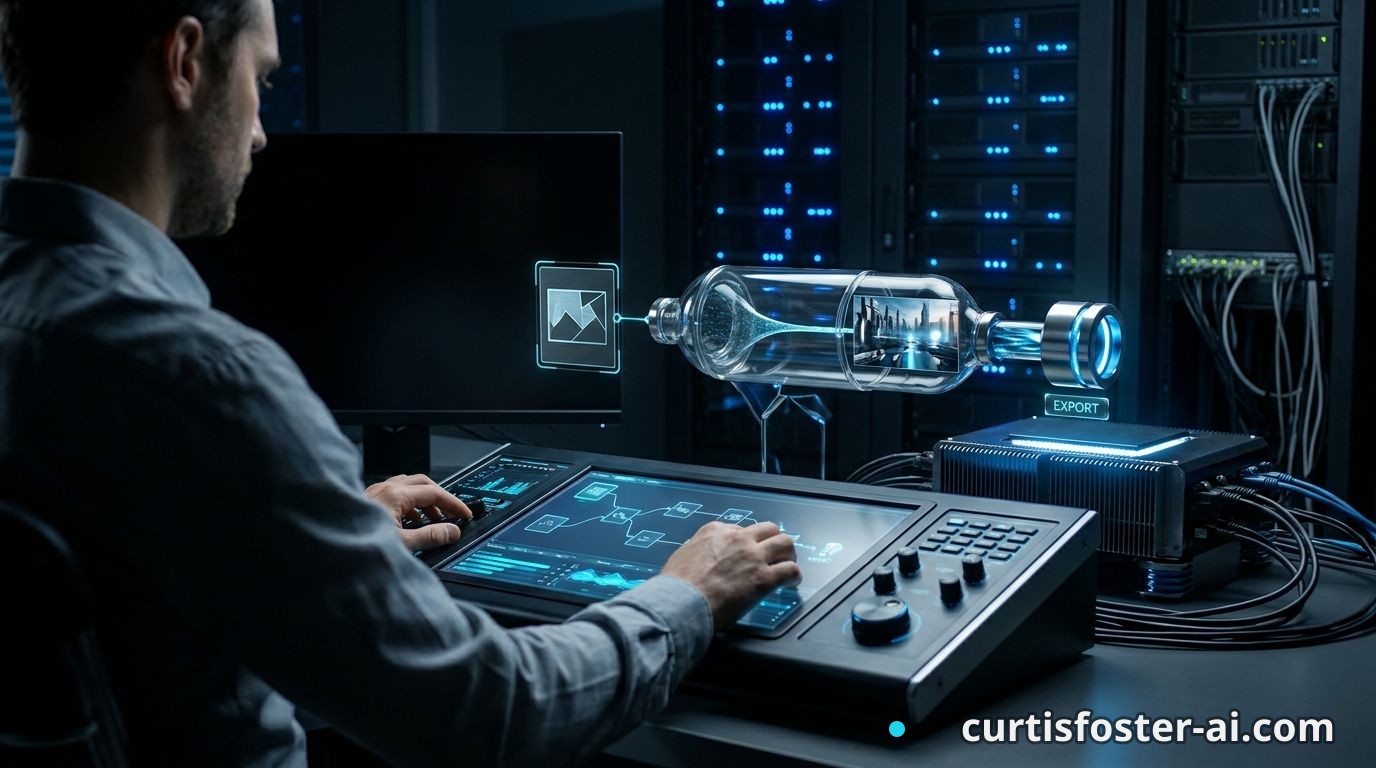
At 11:42 p.m., a kitchen table has become a small post-production studio. Three generated images sit beside a notebook, a half-finished cup of coffee, and a terminal window running FFmpeg. The fastest path from zero to one with generative video is not a better prompt. It is a pipeline that treats images, motion, timing, files, and evaluation as one product.
That is the thesis: use Imagen to create controlled visual assets, Veo to generate short motion clips, and FFmpeg to assemble, inspect, and export the result. The model creates raw material. Your pipeline creates something a user can actually trust.
I've built multi-model AI products where a response that looks great in a demo still collapses when a real user asks the third question. Generative media has the same fault line. One beautiful clip is easy. Producing ten clips with consistent framing, duration, naming, audio, and delivery is the engineering work.
Start with the pipeline, not the prompt
The usual advice is to start with a prompt and iterate until the output looks right. That works for a single experiment. It breaks the moment you need a repeatable system.
A production pipeline has a sequence of explicit stages:
- Brief: define the subject, action, duration, aspect ratio, and audience.
- Asset generation: create still references and motion clips.
- Validation: check dimensions, duration, file type, and visual continuity.
- Assembly: join clips, add audio, captions, transitions, and output settings.
- Review: compare the result against a written acceptance test.
This is your Media Contract. It is a small document or JSON object that every stage can read. A contract for a 20-second product explainer might contain:
```json
{
"project": "coffee-roaster-intro",
"aspect_ratio": "16:9",
"fps": 24,
"scenes": 4,
"clip_duration_seconds": 5,
"required_subject": "red ceramic mug",
"audio": "voiceover.wav",
"output": "coffee-roaster-intro.mp4"
}
```
The contract prevents a common failure: generating an impressive vertical clip when the final destination needs a horizontal 16:9 video. It also gives you something to validate before a human watches every frame.
The mistake I keep watching teams make is treating generated media as a pile of files. Files need ownership, metadata, and a predictable handoff. Store the prompt, model name, model settings, seed when available, source image, output URI, and validation result beside every asset.
A useful directory might look like this:
```text
projects/coffee-roaster-intro/
brief.json
assets/
scene-01-reference.png
scene-01-video.mp4
audio/
voiceover.wav
renders/
draft-001.mp4
manifests/
scene-01.json
```
Once you frame it this way, the prompt becomes one input among several. The pipeline is the product surface.
Use Imagen for visual control
Imagen is most useful at the still-image stage, where you can inspect composition before asking a video model to add motion. Google's Imagen family supports text-to-image generation and, depending on the API version and configuration, image editing or reference-based workflows. Check the current Vertex AI documentation before hard-coding a request shape, because model names and available controls change.
Do not ask Imagen for a whole campaign in one sentence. Break the visual brief into constraints that a reviewer can inspect:
- Subject: what must appear and what must not appear.
- Composition: camera distance, position, negative space, and orientation.
- Lighting: time of day, light direction, and contrast.
- Surface details: materials, colors, wear, and texture.
- Delivery: aspect ratio, resolution, and intended crop.
Suppose you are making a 30-second video for a coffee roaster in Portland, Oregon. The first scene needs a red ceramic mug on a wooden counter, with the left third empty for narration captions. That negative space matters more than a poetic phrase about morning warmth.
A workable image prompt might say:
```text
Editorial product still of a red ceramic coffee mug on a worn walnut counter, Portland cafe interior, soft window light from the right, camera at counter height, mug in the right third, clean dark space on the left for captions, no people, no readable text, 16:9 composition.
```
Generate several candidates, then select one reference per scene. Record why it passed. For example: "Mug shape is stable, handle faces right, left side remains clear, no invented lettering." That note becomes a test for later video outputs.
Imagen can give you a strong visual anchor, but it cannot guarantee identity across every later generation. Keep the reference image available to Veo, retain the original file, and avoid repeatedly compressing it before reuse. JPEG artifacts become surprisingly visible once a model treats them as part of the scene.
What I'm telling you is simple: use image generation to settle composition before motion generation spends more time and money.
Give Veo a shot list, not a screenplay
Veo is built for short generated video clips, and that changes how you should plan. A text prompt describing an entire commercial often asks the model to solve too many problems at once: subject identity, camera movement, physical action, timing, lighting, and continuity.
Write a shot list instead. Each shot should have one visible action and one camera idea. A five-second clip of a mug on a counter is manageable. A five-second clip that starts in a cafe, follows a barista through a doorway, cuts to a farm, and ends on a branded package is not a shot. It is a production schedule wearing a prompt as a disguise.
For the Portland coffee example, the shot list could be:
- Shot 1: slow push toward the red mug as steam rises.
- Shot 2: close view of coffee pouring into the mug from the upper left.
- Shot 3: camera tracks beside the mug as it moves toward a window.
- Shot 4: static product view with clear space for the final voiceover.
Each shot gets its own prompt and reference image. Include duration and aspect ratio in the request where the API supports them. If the platform returns a five-second clip, design around five seconds. Do not assume a model can reliably produce a precise 12.7-second performance because your edit decision list says so.
Prompt for action, not adjectives:
```text
Use the attached red ceramic mug as the visual reference. Five-second 16:9 shot. The camera makes a slow forward movement toward the mug on the walnut counter. Steam rises gently. The mug stays still. Soft daylight enters from the right. No camera rotation, no new objects, no readable text.
```
The phrase "the mug stays still" is doing real work. So is "no camera rotation." Constraints reduce unwanted movement, but they do not eliminate it. Review every clip at full size and at normal playback speed. A hand that changes shape for two frames is easy to miss in a thumbnail and impossible to ignore in the final export.
The conventional wisdom says generative video is mainly a prompt-writing contest. It is not. Veo gives you a probabilistic shot generator. Your shot list, reference assets, and review loop give that generator its boundaries.
Let FFmpeg handle the boring parts
FFmpeg is the assembly line. It does not care whether a clip came from Veo, a phone, or a camera. It can inspect media, normalize formats, concatenate clips, mix audio, and produce a predictable final file.
Start by inspecting every generated clip:
```bash
ffprobe -v error -show_entries format=duration:stream=codec_name,width,height,r_frame_rate \
-of json assets/scene-01-video.mp4
```
This catches problems before they reach the editor. A clip may be 1024 by 576 when the rest of the project is 1920 by 1080. Its frame rate may be expressed as 24000/1001 rather than 24. Audio may be absent. These are not cosmetic differences, they can cause sync drift, failed concatenation, or an output file that plays in one browser and fails in another.
Normalize clips before joining them:
```bash
ffmpeg -i assets/scene-01-video.mp4 \
-vf "scale=1920:1080:force_original_aspect_ratio=decrease,pad=1920:1080:(ow-iw)/2:(oh-ih)/2,format=yuv420p" \
-r 24 -c:v libx264 -crf 18 -preset medium \
-an normalized/scene-01.mp4
```
Create a `concat.txt` file with one normalized file per line:
```text
file 'normalized/scene-01.mp4'
file 'normalized/scene-02.mp4'
file 'normalized/scene-03.mp4'
file 'normalized/scene-04.mp4'
```
Then assemble the video:
```bash
ffmpeg -f concat -safe 0 -i concat.txt \
-i audio/voiceover.wav \
-map 0:v:0 -map 1:a:0 -shortest \
-c:v libx264 -pix_fmt yuv420p -c:a aac -b:a 192k \
renders/draft-001.mp4
```
That command is not glamorous. It is dependable. Add captions with FFmpeg's `subtitles` filter or create a separate caption layer in a tool such as Remotion when you need animated typography and programmatic layout.
Keep intermediate files. If a final export fails, you want to know whether the problem started in Veo, normalization, audio mapping, or the last render. One giant command hides the fault line.
Build validation into every render
A human review is still required for generative video. It should not be the only review. The machine can catch objective errors while a person checks meaning and visual quality.
Create two validation layers. The first checks the file:
- Does the output exist?
- Is the duration within the accepted range?
- Are width, height, frame rate, and pixel format correct?
- Is an audio stream present when required?
- Does the file pass a decode test from beginning to end?
The second checks the content. For the coffee video, a reviewer should answer specific questions:
- Does the red mug appear in all four shots?
- Does the mug remain recognizable after the pour?
- Is the left third clear enough for captions?
- Does any frame contain invented lettering or a distorted hand?
- Does the final cut end cleanly after the voiceover?
This is the Eval Loop for media. Save the answers with the render rather than leaving them in a chat message or someone's memory. A simple manifest could contain pass, fail, reviewer, timestamp, and notes for each shot.
Use real measurements where they help. FFprobe can verify duration. A frame extraction step can create contact sheets for quick review:
```bash
ffmpeg -i renders/draft-001.mp4 -vf "fps=1,scale=480:-1,tile=4x4" \
-frames:v 1 review/contact-sheet.jpg
```
For larger systems, compute hashes for source and output files, track API latency, record retry counts, and attach model version data. Cost telemetry belongs here too. Log image generations, video generations, storage, and render time separately. A retry storm on four five-second clips can cost more than the original estimate, especially when a pipeline retries on any exception instead of only retryable errors.
At my two live AI platforms, I learned to distrust dashboards that only show successful requests. Failed calls, empty outputs, and slow tails tell you where the product is actually breaking. The same rule applies here.
Instrument the retry path before you tune the prompt. Set a retry limit. Send failed assets to a review queue. Never replace a failed output silently, because silent replacement makes later debugging close to impossible.
Move from demo to operating system
The first useful version can be small. A Python service, a JSON manifest, Google Cloud storage, Imagen, Veo, FFmpeg, and one review page are enough to prove the workflow. You do not need a complex agent architecture to make a 20-second video.
What you do need is a clean boundary between stages. Treat each stage as a job with an input, an output, a status, and an error. That lets you rerun only the failed part. If shot three has broken continuity, regenerate shot three. Do not regenerate the entire project and pay for three good shots again.
A practical first release might include:
- A form for brief, aspect ratio, duration, and scene count.
- A job record for each Imagen and Veo request.
- Cloud storage paths derived from project and scene IDs.
- FFprobe validation after every generated file.
- A draft render with a contact sheet and review notes.
- A final export command with fixed codec settings.
Use versioned manifests. A prompt change should create manifest version 2, not overwrite version 1. This matters when a stakeholder says, "The old shot had better lighting," five days after you deleted it. (And yes, that conversation happens every time.)
Watch the operational numbers that affect delivery: median generation time, 95th percentile generation time, regeneration rate, failed render rate, average cost per finished second, and human review time per finished minute. These metrics tell you whether the system is improving. A prettier demo does not.
Start with one narrow output, such as four-shot product explainers for 16:9 web video. Once that path is stable, add vertical crops, alternate voiceovers, or localized text. Each new format increases test coverage. Treat it as a new product surface, not a checkbox.
So the deeper lesson is that generative video is not a single model feature. It is a controlled handoff between probabilistic generation and deterministic media processing. Imagen and Veo supply creative variation. FFmpeg supplies repeatable structure. Your manifests and evals connect them.
FAQ
What is the best role for Imagen in an AI video pipeline?
Use Imagen to establish still-image references, composition, props, lighting, and scene direction before generating motion. It is easier to reject a weak composition as an image than after you have built a full video around it.
How should I use Veo for generative video?
Use Veo for short, clearly defined shots with one visible action and a controlled camera move. Give each shot its own prompt and reference asset instead of asking for an entire multi-scene production in one request.
Why do I need FFmpeg if the video model already creates clips?
FFmpeg handles inspection, normalization, concatenation, audio mapping, caption filters, and deterministic export. It also surfaces technical failures that are easy to miss when you only watch a preview.
How do I reduce inconsistency between generated video clips?
Reuse still references, keep subject descriptions stable, limit each shot to one action, and validate identity and composition after every generation. Store the prompt, model settings, and source asset with each output so you can reproduce or compare a result.
What should I build first?
Build one narrow path: a four-shot video with fixed dimensions, fixed frame rate, one audio track, and a human review step. Add retries, manifests, and file validation before adding more models or formats.
Take one real brief from your backlog and turn it into a four-shot test this week. Write the Media Contract, generate the still references with Imagen, create short Veo clips, and make FFmpeg produce the same export twice. If the two outputs differ for reasons you cannot explain, the pipeline is not ready.
The model is not the finished video. The system around the model is the finished video.
Join the conversation
Subscribe to comment
Join Curtis Foster's newsletter to leave a comment and get new posts in your inbox.